Most conversations about “AI tools” still start in the wrong place, with a list of app names. That’s backwards. The more useful question in 2026 isn’t which tool, it’s which problem, because the artificial intelligence market has split into dozens of narrow categories, each with its own leaders, and picking the wrong category wastes more time than picking the wrong app inside the right one.
That split matters because adoption is no longer the bottleneck it was two years ago. By McKinsey’s global State of AI survey, 88% of organizations now use AI in at least one business function, up roughly ten percentage points from the year before. Stanford’s 2026 AI Index Report puts organizational adoption at a similar level and notes that four in five university students now use generative AI regularly. The tools have gone from novelty to infrastructure in under three years.
What hasn’t caught up is guidance. Most “best AI tools” roundups are just reshuffled affiliate lists. This guide instead breaks artificial intelligence down by what each category of tool is actually good for, what it still gets wrong, and how to evaluate a vendor before you sign a contract, whether you’re picking your first assistant or auditing a stack that’s already grown past what your team can manage.
What Counts as an “AI Tool” in 2026
The term has stretched to the point of being almost meaningless. A grammar checker, a fraud-detection model at a bank, and an autonomous coding agent all get called “AI tools,” but they solve completely different problems and carry completely different risks.
It helps to sort them into three working categories:
- Assistive tools, a human does the work; the AI suggests, drafts, or summarizes. Most writing, design, and research tools fall here. The human stays the decision-maker.
- Automation tools, the AI executes a defined, repeatable task end-to-end (sorting a support inbox, generating a weekly report) with human review as a checkpoint, not a constant presence.
- Agentic tools, the AI plans and takes multi-step actions toward a goal with limited supervision, chaining together other tools and APIs along the way. Gartner’s enterprise applications forecast projects that 40% of enterprise applications will include task-specific AI agents by the end of 2026, up from under 5% the year before, this is the fastest-growing of the three categories, and also the one that needs the most oversight.
Knowing which bucket a tool sits in tells you what to check before you rely on it. Assistive tools mostly need an editor. Agentic tools need guardrails, logging, and a rollback plan.
Just How Fast Is Adoption Moving?
It’s worth pausing on the numbers, because they explain why so many teams feel like they’re behind even when they’ve already adopted something.
- 88% of organizations use AI in at least one business function, though only about 7% report having scaled it fully across the enterprise, most companies are still mid-rollout, not finished.
- A distinct group McKinsey calls “AI high performers,” roughly 6% of respondents, report attributing more than 5% of EBIT to AI, real value is achievable, but it’s still rare rather than typical.
- Worldwide spending on AI is forecast to reach $2.59 trillion in 2026, a 47% year-over-year increase, according to Gartner’s most recent AI spending forecast.
- Estimated U.S. consumer surplus from generative AI tools, the value users get that they don’t pay for, reached $172 billion annually in early 2026, up from $112 billion the year before, per the Stanford AI Index.
The gap between “adopting AI” and “getting value from AI” is the theme that shows up in nearly every serious industry survey right now. Tool selection is one of the few levers a team fully controls, which is exactly why it deserves more scrutiny than a five-minute product demo usually gets.
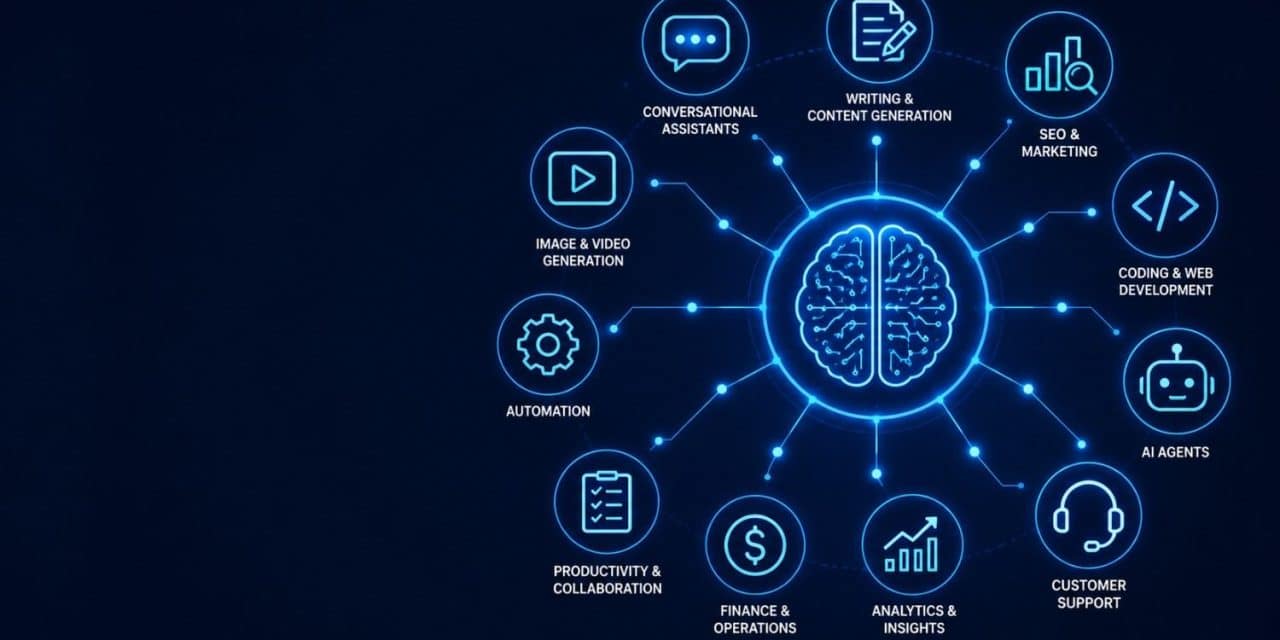
The Main Categories of AI Tools, and What Each One Is Actually For
Conversational Assistants
General-purpose assistants like ChatGPT and Claude are the entry point for most people and most companies, largely because they handle an unusually wide range of tasks with no setup. If you’re weighing the newest flagship release, our breakdown of ChatGPT-5 covers what changed and where it fits. For teams comparing assistants on reasoning, writing quality, and reliability for business use, our look at Claude walks through where it tends to outperform generic chat tools.
The honest caveat: a general assistant is a starting point, not a finished workflow. Teams that stop at “we use ChatGPT” tend to plateau quickly, because the real gains come from connecting an assistant to your actual data and repeatable tasks, which is where the next categories come in.
Writing and Content Tools
Content generation was one of the first mainstream use cases, and it’s also the category with the most quality-control problems. Search engines and readers have both gotten better at spotting generic AI phrasing, flat sentence rhythm, and unsupported claims dressed up as facts. We’ve covered why a lot of AI-assisted content still reads as machine-written even after a human edit, and it usually comes down to structure, not vocabulary, repetitive paragraph shapes and a total absence of a point of view.
If you’re publishing at volume, it’s worth understanding how detection actually works before you rely on a tool to reassure you. Our guide to AI content detection tools explains what these systems actually measure and why they’re unreliable in both directions, they flag human writing as AI-generated and miss AI writing that’s been lightly edited. Treat detector scores as a rough signal, not a verdict, and put more weight on whether the piece has a real argument and specific, checkable claims.
SEO and Marketing Tools
AI has changed technical SEO work more than it’s changed the underlying ranking factors. Tools now handle keyword clustering, content gap analysis, and technical audits at a speed no human team can match, but the fundamentals, genuine expertise, real sourcing, a site that loads fast and serves the reader, haven’t gone anywhere. Our guide on how AI SEO tools affect Google rankings goes through where these tools save real time and where they still need a human editor checking their work before anything ships.
E-Commerce and Product Content
For online retailers, AI-generated product copy is one of the clearest ROI cases in the entire category, because the task is narrow, repetitive, and easy to check. If you’re managing a catalog with hundreds or thousands of SKUs, our roundup of AI product description generator tools compares options built specifically for that job rather than general writing assistants stretched to fit it.
Visual and Video AI
Image and video generation moved from novelty to production tool faster than almost any other category, largely because the output quality became genuinely usable for marketing and social content in the last two years. Our piece on AI video editing tools covers what’s realistic to automate today, rough cuts, captioning, format resizing, versus what still needs a human editor’s judgment call.
Coding and Web Development
Coding is arguably the category with the clearest, most measurable gains: Stanford’s 2026 AI Index cites a 26% average productivity improvement in software development tasks from AI tool use, and coding benchmark performance has risen sharply in the past year. That’s changing how sites and apps get built, not just how code gets written line by line. We cover what that shift looks like in practice in the future of web development with AI, including where AI-generated code still needs a security review before it ships.
Automation and Agents
This is the fastest-growing and least mature category. Tools like workflow builders and AI agents can now chain several steps together (read an email, extract data, update a spreadsheet, send a follow-up) without a human clicking through each step. The tradeoff is that mistakes compound silently across steps instead of stopping at the first one, which is why NIST’s AI Risk Management Framework recommends explicit monitoring and human checkpoints for any system that takes actions rather than just producing suggestions.
AI Tools by Department: A Practical Breakdown
Category-based thinking is useful, but most people don’t shop for AI by category, they shop by job function. Here’s how the same underlying technology shows up differently depending on which team is using it.
Marketing. This is the most AI-saturated function in most companies, covering everything from campaign copy and social scheduling to audience segmentation and ad-spend optimization. Salesforce’s 2026 State of Marketing research puts generative AI use at roughly 87% of marketers across at least one workflow, which makes marketing the closest thing to a solved-adoption category. The open question isn’t whether marketing teams use AI, it’s whether the output is differentiated enough to still work once every competitor is using the same tools to write the same kind of copy.
Sales. AI shows up here mostly as research and drafting support, summarizing account history before a call, drafting follow-up emails, scoring leads based on engagement signals. The riskier frontier is AI-run outreach at scale, which raises both deliverability and reputation concerns when it’s done without a human checking tone and accuracy first.
Customer support. This is one of the clearest wins in the entire AI tool landscape: first-line ticket triage, drafting suggested responses, and summarizing long threads for a human agent all have strong track records. Full automation of complex or emotionally charged support conversations remains a weaker use case, most successful deployments keep a human in the loop for anything beyond routine questions.
HR and recruiting. AI is heavily used for resume screening, interview scheduling, and drafting job descriptions, but this is also the function facing the most legal scrutiny. Several jurisdictions now require disclosure or auditing when AI materially influences a hiring decision, so this is a category where the vendor’s compliance documentation matters as much as the feature list.
Finance. Forecasting, anomaly detection in transactions, and first-pass expense categorization are mature use cases with measurable accuracy. Fully automated financial decision-making, approving large transactions or making investment calls without review, remains rare and, in regulated industries, often explicitly restricted.
Product and engineering. Beyond the coding assistance covered above, AI is increasingly used for QA test generation, bug triage, and turning user feedback into structured feature requests. The productivity gains here are among the best-documented in the entire AI tools market, but they’re also where a bad output is easiest to ship unnoticed if code review gets rushed.
Operations. Workflow automation platforms, connecting a form submission to a spreadsheet update to a notification, are one of the least glamorous but most reliably useful categories, largely because the tasks are simple, repetitive, and easy to verify against a known correct outcome.
Build vs. Buy: When a Custom AI Tool Makes Sense
Most companies should buy, not build. Off-the-shelf tools benefit from far larger training and testing budgets than an internal team can match, and the maintenance burden of a custom model, retraining, monitoring for drift, security patching, is easy to underestimate.
Building makes more sense when a few conditions line up together: the task is genuinely unique to your business (not just “we do it slightly differently”), the data involved is too sensitive to send to a third party, and you have the engineering capacity to maintain the system indefinitely, not just launch it. Even then, a common middle path is fine-tuning or wrapping an existing foundation model rather than training one from scratch, full custom model development is expensive enough that it’s rarely justified outside a handful of large enterprises and AI-native companies.
What AI Tools Actually Cost
Pricing in this market varies more than almost any other software category, which makes comparisons harder than they should be. A few common structures:
- Flat per-seat subscriptions ($10–$30/month per user) are typical for assistants and writing tools, and are the easiest to budget for.
- Usage-based pricing (charged per token, per API call, or per generated asset) is common for tools built on top of foundation models, and costs can scale unpredictably with adoption if there’s no usage cap or alerting in place.
- Tiered enterprise contracts bundle a set number of seats or usage credits with added security, support, and compliance features, often the only tier that includes an actual service-level agreement.
- Free tiers are genuinely usable for individuals and small teams testing a tool, though they often exclude the integrations and data-handling guarantees a business eventually needs.
The mistake worth avoiding is comparing sticker price alone. A cheaper per-seat tool with poor accuracy on your specific task will cost more in review time and rework than a pricier tool that gets it right the first time.
Industry-Specific AI: Where the Stakes Are Higher
General tool categories cover most use cases, but a handful of industries have specific enough requirements, and specific enough consequences for getting it wrong, that they deserve separate coverage.
Healthcare. AI is moving from imaging and diagnostics support into much broader clinical and administrative use, and the pace of change is significant enough that we’ve dedicated coverage to it: how artificial intelligence is changing medicine looks at where AI is genuinely improving outcomes and where regulatory and safety concerns are rightly slowing adoption down.
Cybersecurity. AI cuts both ways here, it’s now standard in threat detection and anomaly monitoring, but it’s also lowering the skill floor for attackers running phishing and social-engineering campaigns at scale. Our piece on cybersecurity in the age of AI covers that tension directly.
Nonprofits. Smaller organizations with limited research staff are increasingly using AI to find and match grant opportunities faster than manual searching allows. We’ve written specifically about how AI is helping nonprofits find grant opportunities, a use case that gets far less attention than it deserves given how resource-constrained that sector typically is.
What AI Can Actually Do for a Company Right Now
Strip away the hype and the current, realistic list of what AI already handles well inside a business is shorter, and more useful, than most vendor pitches suggest. We’ve laid out a grounded version of that list in 8 things AI can already do for your company, covering the tasks with the clearest evidence behind them: drafting and summarizing, first-pass customer support, meeting transcription and action-item extraction, basic data analysis, and repetitive workflow automation.
Notice what’s missing from that list: fully autonomous decision-making in high-stakes situations, replacing domain expertise outright, and anything where a wrong answer is expensive or hard to catch. That’s not a limitation of any particular product, it’s a limitation of the current generation of models generally, and it’s worth remembering the next time a demo makes a claim that sounds too clean.
Choosing an AI Vendor or Company
Once you move past general-purpose assistants and start evaluating specialized AI vendors, for CRM, for legal review, for finance automation, the selection criteria change. Brand recognition and demo polish are the least useful signals. Our guide to AI solutions and choosing the right AI company breaks down the questions that actually predict whether a vendor relationship will work: how the model was trained on your type of data, what happens when it’s wrong, how integration actually works with your existing systems, and what the vendor’s security and compliance posture looks like in writing, not just in a sales call.
A few questions worth asking every vendor before signing anything:
- What happens to our data: is it used to train the underlying model, and can we opt out?
- What’s the actual error rate on tasks like ours, and how is it measured?
- Who reviews outputs before they reach a customer or go into a report?
- What does rollback look like if the tool makes a costly mistake?
- Is there a human escalation path, and how fast does it respond?
If a vendor can’t answer these clearly, that’s information too.
Closing the AI Skills Gap
Tool adoption and skill adoption are running at very different speeds. Most organizations have handed people new software without giving them a real framework for using it well, and that gap shows up as inconsistent output quality across a team using the identical tool. We’ve covered practical approaches to this in how companies can use AI competency tools to find and close skills gaps, which is increasingly treated as a training problem, not just a procurement one.
On the individual side, demand for people who can build and evaluate AI systems, not just use them, keeps climbing. If that’s a direction you’re considering, our guide on how to become an AI/ML engineer covers the realistic course and certification path, and it’s worth pairing with a genuine grounding in the underlying math and statistics rather than tool-specific tutorials alone.
Understanding the Technology Underneath the Tools
You don’t need a machine learning degree to use AI tools well, but a basic mental model of what’s happening under the hood makes it much easier to spot when a tool is likely to fail. One concept worth actually understanding, because it shows up constantly in how these systems make decisions, is the softmax function, the mechanism most classification and generation models use to turn raw scores into probabilities. Our explainer on what softmax is in machine learning breaks it down without requiring a math background, and it’s a genuinely useful building block for understanding why models sometimes hedge, sometimes commit confidently to a wrong answer, and rarely do anything in between.
For anyone who wants to go deeper than blog posts and vendor documentation, we’ve also put together a list of free books on machine learning and data science that hold up better than most paid courses.
Ethics, Governance, and Responsible Use
As AI tools move from side projects to core infrastructure, governance stops being optional. NIST’s AI Risk Management Framework is the most widely referenced voluntary standard in the U.S. for identifying and managing AI-related risk, organized around four functions: govern, map, measure, and manage. It’s built for large enterprises, but the underlying questions apply at any size, who’s accountable when a model is wrong, how bias gets measured, and how transparent the system needs to be to the people affected by its outputs.
At the OECD AI Policy Observatory, the international picture is similar: policy frameworks are converging around trustworthiness, transparency, and accountability rather than trying to regulate specific tools, because the tools change too fast for that to work.
That governance conversation is also reaching business education directly. We’ve covered the growing importance of AI ethics in online MBA programs, which reflects a broader shift: ethics and governance are no longer treated as a compliance afterthought bolted onto a technical rollout, but as a core part of how future managers are expected to think about deploying these systems.
Trends Worth Watching Through the Rest of 2026
A few shifts are worth tracking if you’re planning tool investments for the next several quarters:
- Agentic workflows are scaling faster than governance is catching up. Gartner’s 40%-of-enterprise-apps forecast means most companies will be running agentic features before their policies for reviewing agent actions are fully built out.
- Coding and technical benchmarks are approaching saturation. The Stanford AI Index notes that performance on a leading coding benchmark went from 60% to nearly 100% within a single year, which suggests the next competitive edge in AI-assisted development will come from integration and workflow design, not raw model capability.
- Public sentiment is more divided than adoption numbers suggest. Even as usage climbs, the Stanford AI Index found the share of people saying AI products make them nervous also rose, alongside the share saying AI offers more benefits than drawbacks. Both are increasing at once, comfort and adoption aren’t the same thing.
For a broader, ongoing view of where things are heading, our roundup of AI trends every techie should be watching and our piece on how AI is transforming the future of technology both track these shifts as they develop.
Everyday AI: It’s Not Just Enterprise Software
Not every AI decision is a procurement decision. A lot of people’s first hands-on experience with AI is inside apps they already use, and not always by choice. If you’d rather not have an AI assistant embedded in an app you use daily, our step-by-step guide on how to get rid of Snapchat AI walks through the actual settings, since the option isn’t always where you’d expect to find it.
How to Read AI Vendor Marketing Claims
Every AI product page now makes roughly the same promises: it saves time, it’s powered by the “latest models,” it’s enterprise-ready. Most of that is marketing shorthand rather than something you can verify, so it helps to know which claims are worth checking and which are safe to ignore.
“Powered by GPT-5 / Claude / Gemini” tells you which foundation model sits underneath the product, which matters less than how the product has been built around it, the prompting, the guardrails, the data it’s connected to. Two tools built on the identical underlying model can perform very differently depending on that layer of work.
“99% accuracy” is close to meaningless without knowing what task was measured and against what benchmark. Ask what “accuracy” means specifically for the task you’d actually use the tool for, and ask to see the methodology, not just the headline number.
“Enterprise-grade security” should point to a specific, checkable certification, SOC 2 Type II, ISO 27001, or a relevant industry standard, not just the phrase itself. If a vendor can’t name the certification, treat the claim as unverified.
“Trained on your industry” can mean anything from genuinely fine-tuned on domain-specific data to simply prompted with some industry vocabulary. Ask directly what data the fine-tuning used and how recent it is.
Case studies and testimonials are useful for understanding what a tool is capable of in the best case, but they’re selected specifically to showcase success. Weight them accordingly, and ask the vendor for a reference customer with a use case close to yours rather than relying on the ones published on their site.
None of this means vendors are being dishonest, most of these claims are technically true in some narrow sense. It means the burden is on the buyer to ask for specifics, the same way you would with any other significant software purchase.
Common Mistakes When Adopting AI Tools
A pattern shows up across almost every failed AI rollout, regardless of industry or company size:
- Buying the tool before defining the task. Teams pick a popular tool, then go looking for a problem to justify it, instead of starting from a specific, repeatable task and testing candidates against it.
- No review step for anything the tool produces. Assistive tools drift into unsupervised use over time as people get comfortable, which is exactly when errors start reaching customers.
- Treating every category the same way. A writing assistant and an agent that can send emails on your behalf need completely different levels of oversight, and a lot of rollouts apply one policy, usually too loose, to both.
- Ignoring the data question. Where your inputs go, whether they train a shared model, and what your contract actually says about that matters more than almost any feature comparison.
- Skipping the skills investment. Tools without training produce wildly inconsistent results across a team, which then gets blamed on the tool instead of the rollout.
Frequently Asked Questions
What’s the difference between AI and generative AI?
AI is the broad field covering any system that performs tasks normally requiring human intelligence, including things like fraud detection and recommendation engines that have existed for years. Generative AI is a subset that creates new content such as text, images, code, and audio, and it’s the part that’s driven most of the recent adoption surge.
Do small businesses actually benefit from AI tools, or is this mostly an enterprise trend?
Small businesses often see faster, more visible returns than large enterprises, because a single tool handling one repetitive task (drafting product descriptions, answering common support questions) can free up a meaningful share of a small team’s time. Enterprise gains tend to be larger in absolute terms but slower to materialize due to integration complexity.
Is AI-generated content bad for SEO?
Not inherently. Search engines evaluate content on quality, accuracy, and usefulness to the reader, not on whether AI was involved in drafting it. Content that’s generic, unsourced, or clearly unedited tends to underperform regardless of how it was produced, the AI-or-not question matters less than the quality-control process behind it.
How much does it cost to start using AI tools for a business?
Entry-level assistants and writing tools typically run $15–$30 per user per month, while specialized enterprise platforms vary widely based on usage volume and integration needs. Many core tools also offer free tiers sufficient for testing before any purchase commitment.
What’s the biggest risk with adopting AI tools too quickly?
Deploying automation or agentic tools without a review process is the most common costly mistake, errors can reach customers or compound across multiple steps before anyone notices, especially in workflows with limited human checkpoints.
Will AI replace jobs in content, coding, or customer service?
Current evidence points toward task transformation more than wholesale job elimination in most roles, AI handles a growing share of routine sub-tasks while human judgment, review, and complex problem-solving remain necessary. The clearest disruption is happening to the most repetitive, lowest-complexity slice of any given job, not the job itself.
How do I know if an AI tool is trustworthy enough for sensitive data?
Check the vendor’s data handling policy specifically, whether your inputs are used for model training, how data is encrypted and stored, and whether they hold relevant certifications (SOC 2, ISO 27001, or industry-specific standards like HIPAA for healthcare). If this information isn’t published clearly, treat that as a red flag.
Should a small team build its own AI tool instead of buying one?
For most small and mid-sized teams, no. Off-the-shelf tools are built on far larger development and testing budgets than a small internal team can match, and ongoing maintenance is easy to underestimate. Building only makes sense when the task is genuinely unique to the business, the data is too sensitive to send to a third party, and there’s engineering capacity to maintain the system long-term.
How do I compare two AI tools that seem to do the same thing?
Run them against the same real task from your own workflow, not a generic demo prompt, and evaluate the output the same way a colleague would review a human’s work. Price and feature lists matter less than accuracy on your actual use case, how much editing the output needs, and how clearly the vendor documents data handling and error rates.
What’s the single biggest predictor of whether an AI rollout succeeds?
Whether there’s a defined review step for the tool’s output. Rollouts that skip this, treating the AI’s first draft as final, are the most common source of costly mistakes, regardless of which specific tool is involved.
A Quick Evaluation Checklist
Before adopting any new AI tool, it’s worth running through a short checklist rather than relying on a demo alone:
- Does this tool solve one clearly defined task, or is it trying to do everything?
- Have we tested it on our own real content or data, not just the vendor’s sample prompts?
- Is there a named person responsible for reviewing its output before it reaches a customer?
- Do we understand what happens to our data, in writing, not just verbally from a sales rep?
- Is there a documented rollback or escalation path if something goes wrong?
- Would we still choose this tool if the current hype around AI dropped tomorrow?
That last question is the most useful filter of all. A lot of AI purchasing decisions right now are driven by fear of falling behind rather than a clear read on whether the tool solves a real problem, and those are the deployments most likely to get quietly abandoned within a year.
Where to Go From Here
The teams getting real value from AI in 2026 aren’t the ones with the most tools, they’re the ones who matched a specific tool to a specific, well-defined task, put a review step around it, and gave their people time to get good at using it. Start narrow: pick one workflow that’s repetitive and easy to check, test two or three tools against it directly, and only expand once you can measure the improvement in something more concrete than a feeling that things are faster.
If you’re building out a broader AI strategy, the resources linked throughout this guide, from choosing a vendor to closing the skills gap on your team, are a reasonable starting checklist rather than a one-time read.