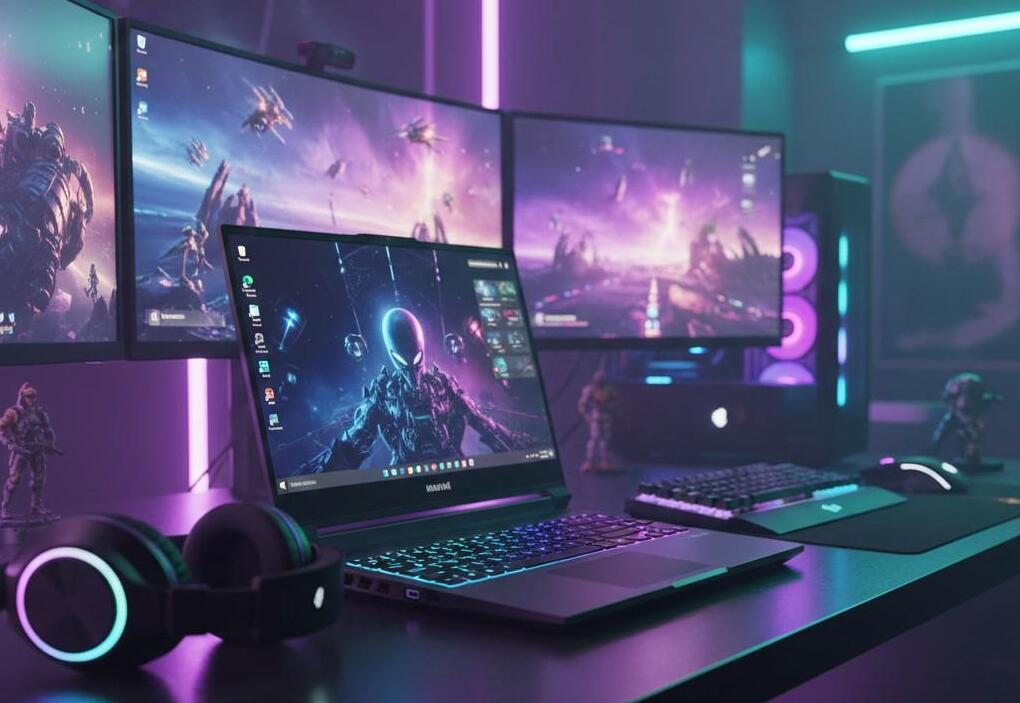
Finding a high-performing gaming laptop doesn’t require memorising every CPU and GPU specification. The easiest approach is to focus on the components that have the biggest effect on real gaming performance: the GPU for gaming, processor, RAM, cooling system, display, storage, and power design.
A laptop can look impressive on paper and still perform poorly if its cooling is weak or if the graphics chip operates at a lower power level. Conversely, a well-balanced machine with sensible specifications can deliver a much better gaming experience without being the most expensive model.
For buyers in the USA, the simplest way to compare gaming laptops is to look beyond the headline processor name and evaluate how the complete system is configured.
Start With the GPU for Gaming
If gaming performance is your main priority, start with the graphics processor.
The GPU for gaming is responsible for rendering most of the visual workload, including textures, lighting, shadows, ray tracing, and other graphical effects. It usually has a larger direct impact on gaming performance than many secondary specifications.
NVIDIA’s GeForce RTX laptop GPUs for gaming come in different performance levels and power configurations, so it’s important to check the specifications of the specific laptop rather than judging only by the GPU name.
That last point is easy to overlook.
Two laptops can carry GPUs with the same name but deliver different performance because manufacturers can configure cooling and power differently.
When comparing laptops, therefore, don’t stop at:
“Does it have an RTX GPU?”
Ask:
● Which GPU model is it?
● How much graphics memory does it have?
● What is its power configuration?
● What resolution will you game at?
● Does the laptop have adequate cooling?
For modern gaming, the GPU should usually be the first major specification you compare.
Don’t Ignore the Processor
The CPU handles game logic, physics, background processes, AI calculations, and many other tasks.
For processor cores for gaming, you don’t necessarily need the highest possible core count. A modern processor with strong per-core performance and enough cores for your games and background applications can be a better choice than an expensive chip designed primarily for heavy workstation workloads.
A balanced gaming laptop should pair its CPU with a GPU that makes sense for the target performance level.
For example, buying an extremely powerful processor while choosing a much weaker GPU can leave the system poorly balanced for graphics-heavy games.
Look at:
● CPU generation
● Core and thread count
● Boost frequency
● CPU power configuration
● Cooling capability
● Performance benchmarks
The processor should support the GPU rather than compete with it for your budget.
How Much RAM Does a Gaming Laptop Need?
Laptop RAM requirements depend on the games you play and what else you do on the machine.
For a modern gaming laptop, 16GB can be a sensible starting point for many users. Moving to 32GB can make more sense if you play demanding games while streaming, editing video, running browsers with many tabs, or using other memory-heavy applications.
The important thing isn’t simply choosing the biggest RAM number.
Check whether the laptop allows memory upgrades. Some models have upgradeable memory, while others use memory that is permanently attached to the motherboard.
That matters for long-term value.
If you’re buying an expensive laptop and expect to keep it for several years, having a practical upgrade path can be useful.
SSD Storage Matters More Than You Think
Hard drive storage for games should be considered carefully because modern games can require substantial storage space.
For a modern gaming laptop, an SSD is preferable to a traditional mechanical hard drive for the primary game library. SSD storage provides faster data access and generally makes the overall system feel much more responsive.
When comparing storage, consider:
● SSD capacity
● SSD type
● Number of storage slots
● Upgradeability
● Available free space after Windows and applications
A 512GB drive may look adequate until you install several large games.
For many gamers, 1TB provides a more comfortable starting point. If you maintain a large library, additional storage or an upgradeable second drive becomes increasingly useful.
Screen Size for Gaming Isn’t Just About Inches
Choosing the right screen size for gaming involves more than deciding between 15-inch and 17-inch displays.
Look at the complete display specification:
● Screen size
● Resolution
● Refresh rate
● Response time
● Panel technology
● Brightness
● Colour coverage
● Adaptive-sync support
A high-refresh-rate display can be particularly useful for competitive games where smooth motion and responsiveness matter.
On the other hand, a higher-resolution panel may be more attractive if you primarily play visually demanding single-player games.
The right display depends on the GPU.
There’s little benefit in buying a very high-resolution gaming panel if the laptop’s graphics hardware struggles to drive games at that resolution.
Look at Cooling Before You Buy
Cooling is one of the easiest things to miss when comparing gaming laptops.
A laptop has limited physical space, yet it needs to dissipate heat from both the CPU and GPU. When temperatures and power limits become restrictive, sustained performance can suffer.
This is why two laptops with similar core specifications may perform differently.
When comparing models, read independent gaming laptop cooling and performance reviews to understand how well a laptop maintains performance during longer gaming sessions.
Pay attention to:
● CPU temperatures
● GPU temperatures
● Fan noise
● Sustained clock speeds
● Performance after extended gaming
● Chassis heat
A laptop that performs well for the first few minutes but throttles heavily later isn’t necessarily a high-performing gaming laptop.
Gaming Laptop Battery Life Has a Catch
Gaming laptop battery life can be confusing because gaming and ordinary productivity are very different workloads.
A laptop might provide reasonable battery life when browsing the web or watching videos but run for a much shorter period during gaming.
That’s normal.
Dedicated gaming GPUs consume substantially more power under load. High-performance CPUs, bright high-refresh displays, and powerful cooling systems can also increase consumption.
So don’t judge a gaming laptop entirely by its advertised battery rating.
Instead, look for independent testing that separates:
● Web browsing
● Video playback
● Productivity
● Light use
● Gaming
If you mainly play games at home, battery life may not need to be your top priority. If you’re travelling frequently, however, portability and battery performance become much more important.
Check the GPU’s Power Configuration
This is one of the most useful ways to distinguish gaming laptops with similar specifications.
Laptop GPUs don’t always operate at one fixed power level across every model. The manufacturer has to balance performance, heat, noise, chassis size, and battery consumption.
NVIDIA’s laptop GPU documentation shows that different implementations can have different power ranges, and buyers should check the manufacturer’s specifications for the particular laptop.
That means the GPU name alone doesn’t tell you everything.
When comparing two laptops with the same graphics chip, check their detailed power specifications and independent benchmark results.
Don’t Judge a Gaming Laptop by Its Weight Alone
A heavier laptop isn’t automatically better.
However, gaming laptops often make compromises between portability and cooling.
A thinner machine may be easier to carry, while a larger chassis may have more room for cooling hardware and higher-power components.
The best choice depends on how you use the laptop.
Choose portability when:
● You travel frequently
● You carry the laptop to school or work
● You want a smaller charger and setup
● Gaming is only one of several priorities
Choose a larger chassis when:
● Gaming performance is the priority
● You mostly use the laptop at a desk
● You want stronger cooling
● You prefer a larger display
● Upgradeability matters
There’s no universal winner. It’s a trade-off.
Check Real Gaming Benchmarks
Specifications are useful for narrowing down your options, but gaming laptop performance should ultimately be judged using actual gaming results.
Look for tests using games similar to the ones you play.
A useful comparison includes:
| Factor | Why It Matters |
| GPU | Major influence on graphics performance |
| CPU | Important for game logic and high-FPS gaming |
| RAM | Helps with gaming and multitasking |
| SSD | Faster storage and better responsiveness |
| Display | Determines resolution and refresh experience |
| Cooling | Affects sustained performance |
| Power configuration | Influences GPU/CPU performance |
| Battery | Important for portable use |
Before buying, compare gaming laptop performance benchmarks to see how different configurations perform in real games rather than relying only on specifications.
A Simple Five-Minute Gaming Laptop Check
If you don’t want to spend hours comparing specifications, use this quick process.
Step 1: Check the GPU
Start here. Make sure it matches the games and resolution you want.
Step 2: Check the CPU
Make sure it is a modern processor with enough performance for your target games.
Step 3: Check RAM
Look for enough memory for your games and other applications, while checking whether upgrades are possible.
Step 4: Check the Display
Match resolution and refresh rate to the capabilities of the GPU.
Step 5: Check Cooling and Power
Read independent reviews to see whether the laptop maintains performance during longer gaming sessions.
If a laptop passes all five checks, you’ve already eliminated many poor choices.
Common Mistakes to Avoid
Buying Based Only on the CPU
A powerful CPU doesn’t compensate for a weak gaming GPU.
Choosing RAM Without Checking Upgradeability
A laptop with more RAM today isn’t necessarily the better long-term option if the memory cannot be upgraded.
Ignoring GPU Power
The same GPU name can behave differently across laptop designs.
Buying the Highest-Resolution Screen
A beautiful display isn’t useful if the graphics hardware can’t deliver the gaming performance you expect.
Forgetting Storage
Modern games can consume significant amounts of SSD space. A small drive can become frustrating quickly.
Trusting Advertised Battery Life
Gaming battery life is usually very different from light-use battery testing.
Ignoring Reviews
A specification sheet cannot tell you everything about temperatures, fan noise, sustained performance, or build quality.
What Makes a Gaming Laptop High-Performing?
A genuinely high-performing gaming laptop isn’t defined by one premium component.
It’s a balanced system.
A strong GPU needs adequate cooling. A powerful CPU needs sufficient thermal headroom. Plenty of RAM is useful only when the rest of the hardware can support the intended workload. A high-refresh display makes sense when the GPU can produce enough frames to take advantage of it.
This is why the best gaming laptop for you may not be the most expensive model on the shelf.
Instead, look for the combination of:
GPU performance + CPU capability + sufficient RAM + fast storage + suitable display + effective cooling + sensible power configuration.
That combination tells you far more about real-world gaming performance than a single headline specification.
Final Thoughts
Spotting a high-performing gaming laptop becomes much easier once you stop treating the specification sheet as the whole story.
Start with the GPU for gaming, then evaluate the processor, laptop RAM requirements, SSD storage, display, cooling, and power configuration. After that, use independent gaming benchmarks to confirm that the laptop can maintain the performance you want.
If portability is important, pay closer attention to weight and battery life. If gaming performance is the priority, a larger chassis with stronger cooling may be worth considering.
Most importantly, compare the complete laptop configuration, not just the CPU or GPU name.
That’s the simplest way to separate a genuinely capable gaming laptop from one that only looks powerful on paper