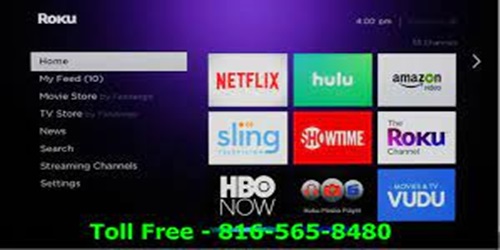
Streaming Applications
The best streaming applications are no longer just digital replacements for cable television. Modern streaming platforms combine content discovery, personalized recommendations, live programming, offline viewing, voice search, multiple profiles, device integration, accessibility tools, and increasingly sophisticated ways to manage what you watch.
For viewers, that means the quality of a streaming service depends on more than the size of its content library. A platform can have thousands of titles and still feel frustrating if it is difficult to search, slow to navigate, poorly organized, or limited to a single device.
The most useful streaming application features are the ones that reduce friction between deciding what you want to watch and actually watching it.
Personalized recommendations that get better over time
One of the biggest improvements in streaming technology is personalization.
Older television systems gave viewers a fixed schedule. Modern streaming platforms can learn from viewing behavior and use that information to recommend movies, shows, sports, and other content that may be relevant to a particular viewer.
Roku’s redesigned 2026 Home Screen, for example, places personalized recommendations prominently and adapts its suggestions based on what users watch, save, and rate. Its interface also includes customizable shortcuts and content hubs designed to reduce the time spent searching through menus. Roku’s personalized 2026 Home Screen shows how personalization is becoming part of the platform experience rather than something hidden inside individual streaming apps.
This feature is particularly useful for households with different viewing habits. Instead of browsing the same generic home screen, users can receive recommendations that better reflect their interests.
The important benefit is not simply personalization.
It is reduced decision fatigue.
When a viewer has hundreds of possible choices, a good recommendation system can make the catalog feel smaller and easier to navigate.
Smarter search and voice control
Search is one of the most important parts of any streaming platform because viewers increasingly expect to find content without manually browsing category after category.
Voice search makes the process faster.
Roku’s current voice-control features allow users to search for movies, TV shows, and actors, switch between devices, control certain television functions, and interact with content using voice commands. Roku’s official voice search and control features describe how voice interaction can extend beyond simple title searches.
The practical advantage is obvious.
Instead of typing a complicated title with a remote control, a viewer can simply speak.
Advanced search is also becoming more useful because viewers increasingly search for a concept rather than a specific title.
For example:
“Find family movies with a short runtime.”
or:
“Show me live sports tonight.”
A streaming interface that understands the intent behind the request can be much more useful than a basic keyword search.
Multiple profiles for shared households
A single streaming account can serve several people, but each person may have completely different preferences.
A parent may prefer documentaries.
Another family member may primarily watch sports.
A child may need age-appropriate programming.
Separate profiles help prevent those preferences from becoming mixed together.
Profiles can influence:
● Recommendations
● Viewing history
● Continue watching lists
● Saved content
● Parental controls
● Personalized home screens
This may sound like a small feature, but it becomes increasingly important in shared households.
A recommendation engine cannot personalize effectively if everyone’s viewing history is mixed into one account.
Offline downloads for travel and unreliable connections
One of the most practical streaming application features is the ability to download content for offline viewing.
Netflix, for example, supports downloads on compatible mobile devices, allowing users to watch selected shows and movies without an active internet connection. Its current Help Center also explains its Downloads for You feature, which can automatically download titles based on a user’s viewing preferences when the device is connected to Wi-Fi. Netflix’s offline download features provide a useful example of how streaming services can work even when connectivity is limited.
Offline viewing is especially useful for:
● Flights
● Road trips
● Commuting
● Hotels with unreliable internet
● Areas with limited connectivity
● Reducing mobile data usage
This is a strong example of a feature that solves a real problem rather than simply adding another entertainment option.
Data and bandwidth management
Streaming video can consume significant amounts of data, especially at higher resolutions.
For users with limited mobile data or slower home connections, bandwidth controls can make a major difference.
Useful options can include:
● Data-saving playback
● Adjustable video quality
● Wi-Fi-only downloads
● Automatic quality adjustment
● Lower-resolution streaming on mobile networks
The best streaming platforms therefore do not assume that every user has unlimited high-speed bandwidth.
Instead, they provide ways to balance:
Video quality + data use + connection speed + device capability
This becomes particularly important when streaming on smartphones and tablets.
A viewer may prefer lower resolution on mobile data but maximum quality on a home television.
High-quality video and immersive audio
Picture quality remains one of the most visible areas of streaming innovation.
Modern services may support combinations of:
● Full HD
● 4K
● HDR
● Dolby Vision
● Dolby Atmos
● Spatial audio
Netflix, for example, offers spatial audio on supported titles and devices, while its Premium offering has included 4K HDR and Dolby Atmos support alongside other playback features. Netflix’s spatial audio capabilities explain how compatible Premium subscribers can use spatial audio without requiring a traditional surround-sound speaker system.
However, a higher number on a specification sheet does not automatically mean a better experience.
The actual result depends on:
Content availability + subscription plan + device + display + network + audio equipment
A viewer using an older television may not benefit from features designed for the newest hardware.
Live TV and sports features
Streaming applications have also expanded beyond on-demand libraries.
Services such as YouTube TV combine live television with streaming features that traditional cable systems often handled through separate equipment.
YouTube TV currently offers live television from more than 100 broadcast, cable, and regional sports networks, along with unlimited DVR storage, family accounts, and support across phones, tablets, computers, and televisions. YouTube TV’s current feature overview explains how its live television service combines streaming convenience with traditional television features.
For sports viewers, the experience goes further.
YouTube TV’s Multiview feature allows eligible programming to be displayed simultaneously on one screen, with support for up to four channels at once. YouTube TV Multiview explains how viewers can build supported Multiview combinations and switch the active audio source.
This is particularly valuable during periods when multiple live events are happening at the same time.
Cross-device streaming and synchronization
People rarely use just one screen.
They may start a show on a television, continue it on a phone, and finish it on a laptop or tablet.
Good streaming services make that transition easy by synchronizing viewing activity across supported devices.
That means features such as:
Continue watching
Watch history
Saved content
Profile synchronization
become increasingly important.
Netflix, for example, allows users to sign in across compatible devices while plan-specific limits determine how many screens can stream simultaneously. Its Help Center also supports downloads and other mobile viewing features. Netflix’s device and streaming support explains how the service works across different supported devices.
The best experience should feel continuous rather than tied to a specific screen.
Casting and TV integration
Another useful feature is the ability to move content from a mobile device to a larger display.
Casting can turn a smartphone or tablet into a convenient content-control interface without requiring a separate search session on the television.
Roku’s current device documentation includes support for casting apps such as YouTube and Netflix from mobile devices, along with features such as Headphone Mode, closed captions, and screen-reader support on compatible devices. Roku’s streaming-device features illustrates how streaming platforms increasingly combine content playback with broader device integration.
That integration makes the television feel less like an isolated appliance and more like part of a connected entertainment ecosystem.
Accessibility features
Accessibility is an important part of modern streaming design.
Useful capabilities can include:
● Closed captions
● Adjustable subtitle appearance
● Audio descriptions
● Screen readers
● Keyboard or remote accessibility
● Headphone modes
● Alternate audio tracks
These features can make the difference between a service that technically offers content and one that is genuinely usable by more people.
Accessibility should therefore be considered a core streaming application feature rather than an optional extra.
Flexible interfaces and faster navigation
A large content catalog creates a navigation problem.
More movies and shows can actually make an application harder to use if the viewer has to scroll through endless rows.
The strongest streaming interfaces therefore organize information around:
What to watch
Continue watching
Live TV
Sports
Genres
Saved content
Personal recommendations
Roku’s latest Home Screen uses dedicated destinations and shortcuts alongside personalized recommendations, with users able to customize some aspects of the interface. Roku’s updated interface and shortcuts show how streaming platforms are increasingly treating navigation as an adaptive experience rather than a static menu.
This is especially important for older viewers or people who do not want to spend time learning complicated interfaces.
Picture-in-picture and multitasking
Picture-in-picture can be valuable when viewers want to watch content while doing something else.
For example, a viewer may want to keep a sports broadcast visible while:
● Reading messages
● Checking statistics
● Browsing another application
● Following a live event
● Working on another task
Not every streaming service supports picture-in-picture on every platform, so the experience depends on the operating system, app, and device.
The broader trend is clear: streaming is becoming less tied to the idea of staring at one full-screen video from beginning to end.
Device compatibility matters as much as features
A streaming app can advertise excellent features and still provide a poor user experience if those features only work on certain devices.
When comparing applications, check:
Smart TV support
Streaming-stick compatibility
Mobile support
Web browser support
Game consoles
Casting
Resolution support
Audio compatibility
Operating-system requirements
Roku’s current product documentation, for example, shows that specific playback capabilities such as 4K HDR, Dolby Vision, and other features depend on compatible television hardware. Roku Streaming Stick 4K specifications provides a useful example of how device capabilities and application features are interconnected.
The same principle applies across streaming platforms.
A feature is only valuable if your hardware can actually use it.
What about Oreo TV and similar third-party streaming apps?
Searches for streaming applications may also surface third-party APK-based services such as Oreo TV.
This category needs more caution than mainstream services available through established app stores. Current third-party pages describe Oreo TV as an Android streaming application offering live channels, movies, sports, and other content, but the information is inconsistent across different sites, and some versions are distributed through sideloaded APK files rather than standard app-store channels.
That creates additional questions about:
● Source legitimacy
● Licensing
● Privacy
● Permissions
● Security
● Update mechanisms
● Device compatibility
A third-party APK should not automatically be treated as equivalent to a mainstream streaming platform. Before installing an application outside an official app store, users should verify its source and carefully review the permissions and software provenance.
For a mainstream U.S. streaming setup, established services and platforms generally offer clearer support, update channels, device compatibility information, and account-management processes.
Which streaming application features matter most?
The answer depends on how you watch.
| Viewer priority | Most useful features |
| Families | Profiles, parental controls, recommendations |
| Sports fans | Live TV, Multiview, DVR, notifications |
| Travelers | Downloads, offline viewing, mobile support |
| Movie enthusiasts | 4K, HDR, spatial audio, large catalogs |
| Budget-conscious users | Free content, data controls, flexible plans |
| Mixed-device households | Cross-device synchronization and casting |
| Accessibility-focused users | Captions, screen readers, alternate audio |
| Casual viewers | Fast search, personalization, simple navigation |
This is an important distinction.
There is no single streaming application with the perfect feature set for every viewer.
The best choice depends on what problem you want the application to solve.
How to evaluate a streaming app before subscribing
Feature lists can be useful, but they should not be the only thing you compare.
Consider five practical questions.
Does it have the content you actually watch?
A large library is irrelevant if your favorite shows, sports, or channels are missing.
Does it work on your devices?
Check your television, phone, tablet, streaming stick, and browser before subscribing.
Is the interface easy to use?
A complicated interface can undermine an otherwise excellent service.
Does the plan include the features you need?
Some advanced features are tied to specific subscription levels.
Does it handle your connection well?
A service with excellent picture quality is less useful if your internet connection cannot support it reliably.
The best streaming experience is about reducing friction
The strongest streaming application features have a common purpose.
They make entertainment easier to find, easier to watch, easier to control, and easier to personalize.
Personalized recommendations reduce searching.
Voice controls reduce navigation effort.
Profiles separate household preferences.
Offline downloads solve connectivity problems.
DVR features simplify live television.
Multiview improves sports viewing.
Casting connects mobile and television experiences.
Accessibility tools make content usable by more people.
The technology matters because each feature addresses a specific point of friction.
That is what separates a feature-rich streaming application from an application that is simply packed with options.
Final Takeaway
The most impressive streaming application features are not necessarily the ones with the most complicated technology.
The most valuable features are the ones that make the viewing experience noticeably easier.
For one household, that may mean personalized recommendations and multiple profiles. For another, offline downloads and bandwidth controls may matter more. Sports fans may prioritize live TV, DVR, and Multiview, while home-theater enthusiasts may care most about 4K HDR and immersive audio.
Modern platforms are also becoming more adaptive. Roku’s current interface, for example, combines personalization, shortcuts, search, live content, and voice control, while services such as Netflix and YouTube TV continue to expand the ways viewers can watch across devices.
When comparing streaming applications, therefore, do not simply ask:
“Which app has the most features?”
Ask:
“Which features solve the way I actually watch?”
That is the better way to evaluate streaming platforms, and it usually leads to a better viewing experience.