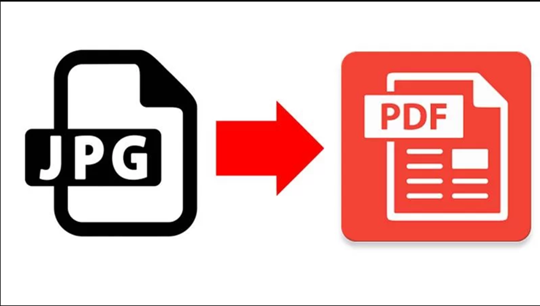
Images are convenient for capturing receipts, scans, forms, certificates, screenshots, and other visual information. But JPG files are not always the most practical format when you need to submit, share, archive, or manage that information as a document.
A JPG to PDF converter solves that problem by packaging one or more images into a PDF file that is easier to distribute and organize. The value goes beyond simply changing the file extension. Converting images to PDF can improve document workflow efficiency, create more consistent files for professional use, and support longer-term document management.
Here are three practical reasons to use a JPG to PDF converter.
1. PDF Makes Image-Based Information Easier to Manage
JPG is primarily an image format. That makes it useful for photographs and individual scans, but less convenient when several related images need to be treated as one document.
Imagine scanning a four-page signed form with a phone. You could send four separate JPG files, but the recipient then has to open them individually and determine their correct order.
Converting those images into a single PDF creates one document that can be shared and stored as a unit.
This is particularly useful for:
● Receipts
● Invoices
● Application forms
● ID or supporting documents
● Scanned contracts
● Certificates
● Product documentation
● Business records
● School assignments
● Research materials
A PDF also provides a consistent page-oriented format, which is one reason it is widely used for electronic documents intended for distribution and preservation.
The Library of Congress describes PDF/A, a specialized PDF format, as an ISO standard designed for long-term preservation of page-oriented electronic documents. It is intended to preserve a document’s visual appearance over time and reduce dependence on the software or systems originally used to create it.
That does not mean every JPG conversion should produce a PDF/A file. Standard PDF is often perfectly appropriate for everyday sharing. But the distinction becomes important when documents need to be retained for years.
2. JPG to PDF Conversion Creates a More Professional Document Workflow
File conversion becomes especially valuable in workplaces where documents move between people, departments, customers, or external organizations.
Sending a collection of unrelated image files can feel informal and can make document processing unnecessarily difficult.
A single PDF can provide a more predictable workflow.
For example, a business might receive photographs of signed pages from a customer. Converting those images into a single PDF can make it easier to:
1. Put the pages in the correct order.
2. Give the document a meaningful filename.
3. Attach one file to an email or upload form.
4. Store the document alongside other PDF records.
5. Print the complete document when necessary.
This is one reason PDF document management can be more practical than storing large collections of individual image files.
PDF is widely supported across platforms and designed to preserve document formatting, which makes it a practical sharing format when the recipient’s software environment is unknown.
For simple image-to-PDF conversion, you do not necessarily need complicated desktop software. Adobe’s current online JPG-to-PDF tool supports JPG and other common image formats and can create PDF files directly in a browser. Adobe states that files submitted to the tool are handled through HTTPS/TLS and encrypted storage during processing.
The important consideration is not just convenience, though. When converting sensitive documents online, always review the provider’s file-handling and privacy policies before uploading confidential information.
3. PDF Can Be Better Suited to Long-Term Document Preservation
The third reason is particularly relevant to organizations that need to keep records for long periods.
Images can certainly be archived, but document preservation often involves more than keeping the original pixels. Organizations may need a predictable file format that can be rendered consistently years later.
That is where PDF/A archival becomes relevant.
PDF/A is not simply a smaller or more secure version of an ordinary PDF. It is a family of ISO standards specifically designed for long-term preservation. The Library of Congress describes the PDF/A family as ISO 19005 standards intended for the long-term preservation of page-oriented electronic documents.
PDF/A places restrictions on certain PDF features in order to improve long-term reproducibility. For example, the Library of Congress notes that PDF/A-1 requires fonts to be embedded and prohibits features such as JavaScript and encryption.
That makes PDF/A useful in situations where a document needs to remain visually consistent and independently renderable over time.
Potential use cases include:
● Legal records
● Historical documents
● Financial records
● Government archives
● Research documentation
● Business records
● Compliance-related files
Again, not every document needs PDF/A. For everyday email attachments or temporary sharing, a regular PDF is usually sufficient.
The key is choosing the format based on the document’s purpose.
JPG vs PDF: When Does Conversion Make Sense?
A simple way to decide is to ask what you plan to do with the image afterward.
| Situation | Better choice |
| Single photograph | JPG |
| Social media image | JPG |
| Several scanned pages | |
| Signed multi-page form | |
| Invoice or receipt for records | |
| Document submitted to an organization | PDF, when accepted |
| Long-term archival document | PDF/A when appropriate |
| Image intended primarily for visual display | JPG |
JPG remains an excellent format for photographs and other standalone images. The purpose of conversion is not to make PDF universally superior.
Instead, image to PDF conversion is useful when the image has become part of a document workflow.
What to Look for in a JPG to PDF Converter
Not every converter provides the same functionality.
A useful tool should make it easy to:
● Upload JPG files
● Convert multiple images
● Reorder pages
● Control page size
● Adjust image orientation
● Download the finished PDF
● Preserve reasonable image quality
For professional workflows, additional features can matter.
Batch conversion
If you regularly convert several images, batch processing can save time by creating a single PDF from multiple JPG files rather than processing them individually.
Page ordering
A converter should let you arrange images in the correct sequence before creating the document.
Output quality
Aggressive compression can make scanned text or small details difficult to read. A good conversion workflow should balance file size against image quality.
Privacy
This is particularly important when converting sensitive documents.
If the images contain IDs, financial records, medical information, contracts, or other confidential content, understand whether the converter uploads files to remote servers and how those files are handled afterward.
For highly sensitive workflows, an offline conversion tool may be preferable when practical.
Does Converting JPG to PDF Improve Security?
Not automatically.
A PDF is not inherently secure simply because it has a .pdf extension.
Security depends on the tools and workflow used to create, store, transmit, and access the document.
For example, a PDF can still be exposed through:
● Unsecured email
● Shared cloud folders
● Weak account passwords
● Public links
● Insecure devices
● Poor access controls
Likewise, PDF/A should not be described as a security format. Its primary purpose is long-term preservation rather than confidentiality.
When security matters, use appropriate encryption, access controls, secure storage, and authenticated sharing methods alongside the file format.
JPG to PDF Can Simplify Everyday Document Tasks
For individuals, students, freelancers, and businesses, the main benefit of a JPG to PDF converter is often simple: fewer files to manage.
A collection of photographs can become one organized document.
A set of scanned pages can become a single submission.
A series of receipts can become one record.
And, when long-term retention is the goal, the resulting PDF can potentially be converted or validated against an appropriate PDF/A standard.
The best workflow is therefore to choose the format based on the task:
Use JPG for standalone visual content. Use PDF when images need to function together as a document. Use PDF/A when long-term preservation requirements make an archival format appropriate.
That distinction keeps file conversion practical instead of treating it as a purely technical exercise.